Published on Nov 14, 2019
Displaying Required Field Errors Inline at WooCommerce Checkout in Oxygen

Sridhar Katakam
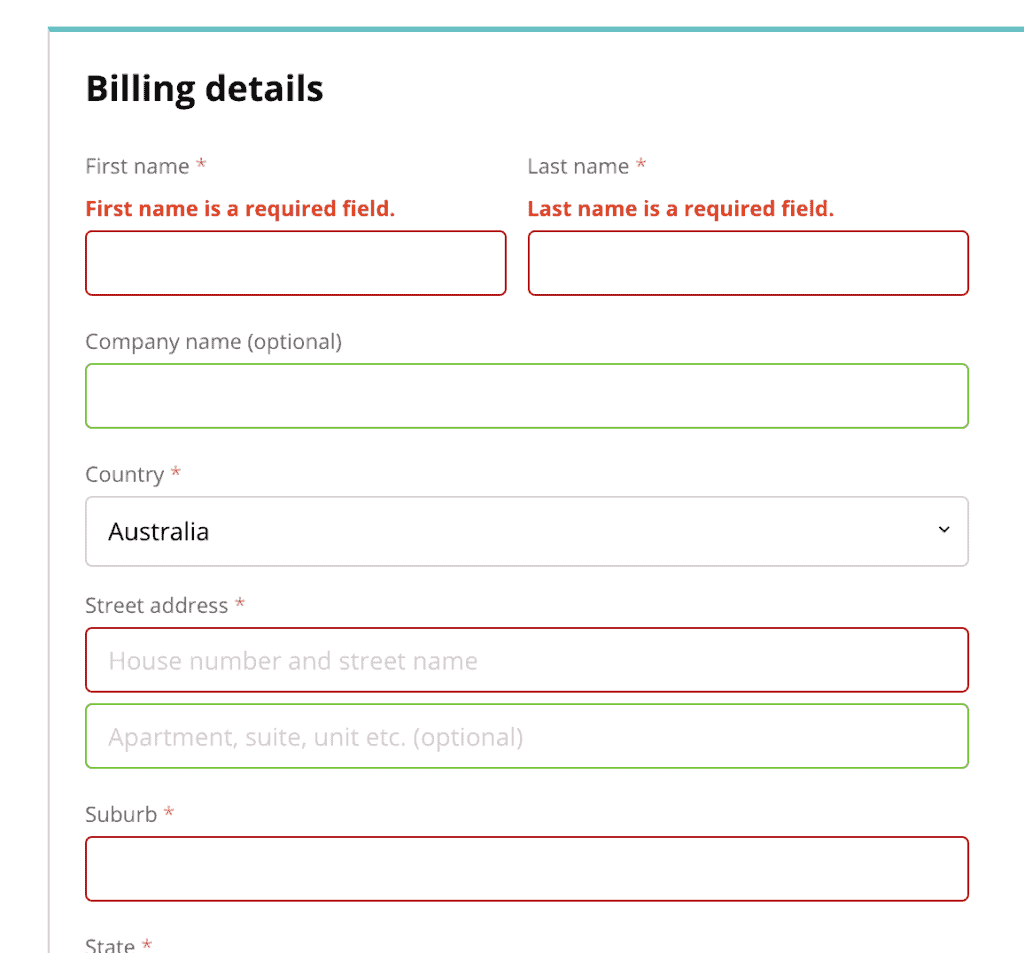
This members-only tutorial provides the steps to implement this tutorial in Oxygen with a few additions to replace the empty fields' notices group on WooCommerce checkout page with inline messages.
Step 1
Install and activate Code Snippets plugin.
Go to Snippets > Add New.
Title: Print Required Field Errors Inline @ WooCommerce Checkout
Code:
/**
 * @snippet       Add Inline Field Error Notifications @ WooCommerce Checkout
 * @how-to        Watch tutorial @ https://businessbloomer.com/?p=19055
 * @sourcecode    https://businessbloomer.com/?p=86570
 * @author        Rodolfo Melogli
 * @compatible    WooCommerce 3.5.6
 * @donate $9     https://businessbloomer.com/bloomer-armada/
 */

add_filter( 'woocommerce_form_field', 'bbloomer_checkout_fields_in_label_error', 10, 4 );

function bbloomer_checkout_fields_in_label_error( $field, $key, $args, $value ) {
   if ( strpos( $field, '</label>' ) !== false && $args['required'] ) {
      $error = '<span class="error" style="display:none">';
      $error .= sprintf( __( '%s is a required field.', 'woocommerce' ), $args['label'] );
      $error .= '</span>';
      $field = substr_replace( $field, $error, strpos( $field, '</label>' ), 0);
   }
   return $field;
}
(PHP from https://businessbloomer.com/woocommerce-display-required-field-errors-inline-checkout/)
Step 2
Edit your Checkout Page with Oxygen.
Add a Section and inside that Checkout component [+Add > WooCommerce > Checkout (under WooCommerce Pages)].
Add a Code Block under/below the Section.
PHP & HTML:
<?php
	// echo "hello world!";
?>
CSS: