HappyFiles Gallery from Selected Categories using Meta Box

This members-only tutorial provides the steps to use Meta Box to set up a HappyFiles category selector so that images from the selected categories will be shown as a gallery on Pages or Posts etc.

Categories in Media Libary:

Selecting one or more categories when editing a Post using Meta Box’ Taxonomy Advanced field:

Post when viewed on the front end:

Images in the selected categories will appear

Clicking on an image in the gallery will open it in a lightbox with previous/next navigation, close button, optional thumbnail navigation within the lightbox etc.

Step 1

Installed and activate Meta Box and Meta Box AIO.

Go to Media > Library, create your desired categories and drag images into them.

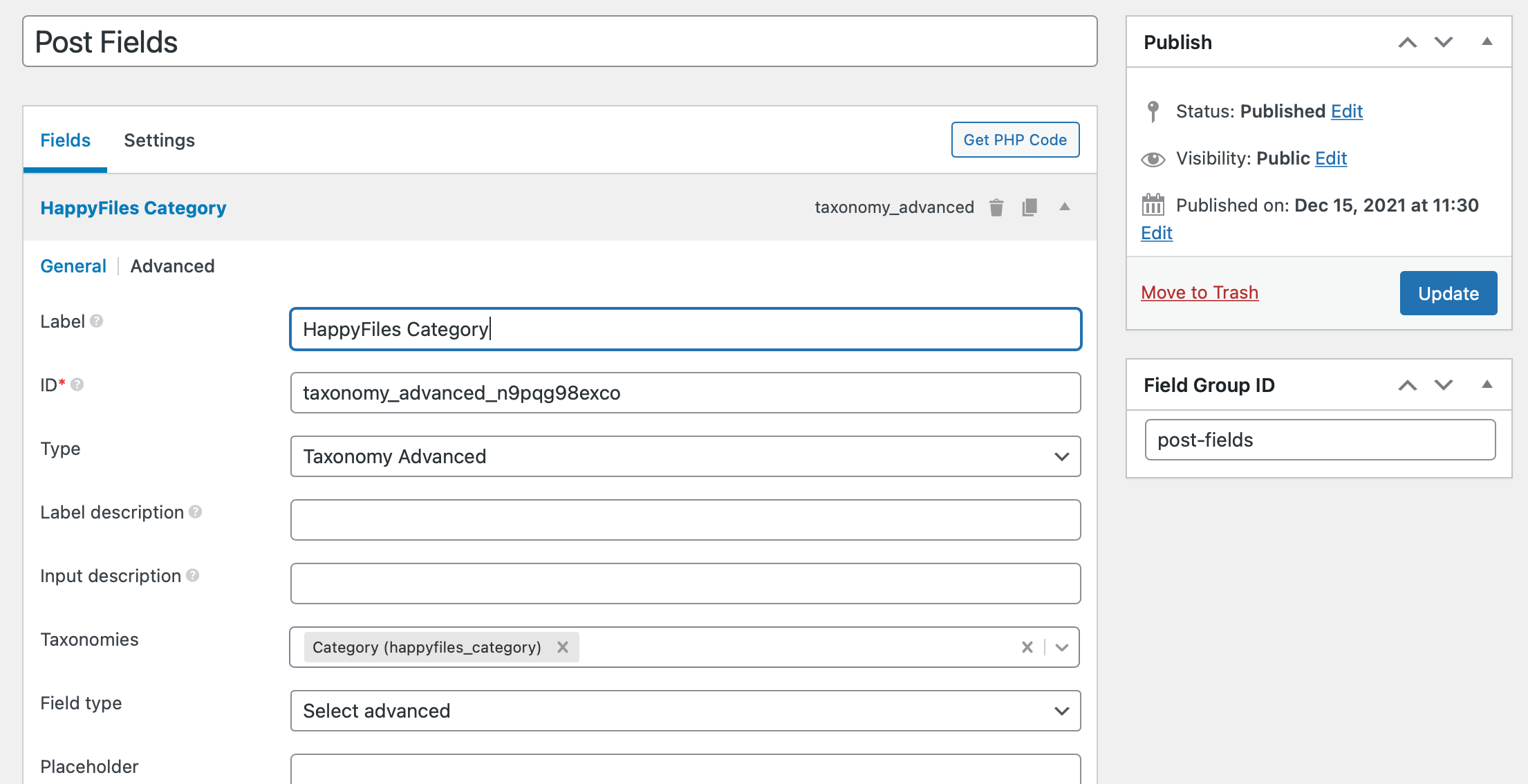
Go to Meta Box > Custom Fields and create a new field group having Advanced Taxonomy type of field having a label of say, “HappyFiles Category”.

In the Settings tab, select the post type you want the group to be attached to. Let’s say post post type in this example.

Step 2

Edit the Oxygen Template that applies to your post type, in this example, to all the single posts.

Add a Code Block component where you want to display the images from the selected category/categories for each post.

Set Width to 100%.

PHP & HTML:

This is a premium members-only content.

To view the rest of the content, please sign up for membership ($47/month or $599 one-time).

Already a member? Log in below or here.


Posted

in

, ,

by

Comments

2 responses to “HappyFiles Gallery from Selected Categories using Meta Box”

  1. Niko Strobel Avatar
    Niko Strobel

    Does this still work with Oxygen 4 and Happy Files 1.7?
    It used to work like a charm before, but now I only get the error message: “The selected folder does not contain any objects.”

    The HF shortcode still works with static content; when I replace [….categories=”‘ . implode( ‘, ‘, $happyfiles_categories ) . ‘” …] with e.g. [….categories=”Kategorie3″ …] it works.

    Also, in the screenshots it looks like a multiselect field to choose several HF categories at once. But I can only select one.

    Tried it on two websites; both with the same result.

    1. Niko Strobel Avatar
      Niko Strobel

      Update: Changing Field type “Select advanced” to “Checkbox list” solved the issue.

Leave a Reply

Your email address will not be published. Required fields are marked *