This tutorial shows how the The Fastest Google Fonts method by Harry of CSS Wizardy can be implemented for fast Google Fonts in WordPress.
As Harry writes in his conclusion,
While self-hosting your web fonts is likely to be the overall best solution to performance and availability problems, we’re able to design some fairly resilient measures to help mitigate a lot of these issues when using Google Fonts.
If you can, self-host custom fonts. Here‘s a tutorial on how to do it.
If you instead want to load Google fonts from Google’s CDNs, follow along.
Step 1
Visit Google Fonts and add your fonts and style variants.
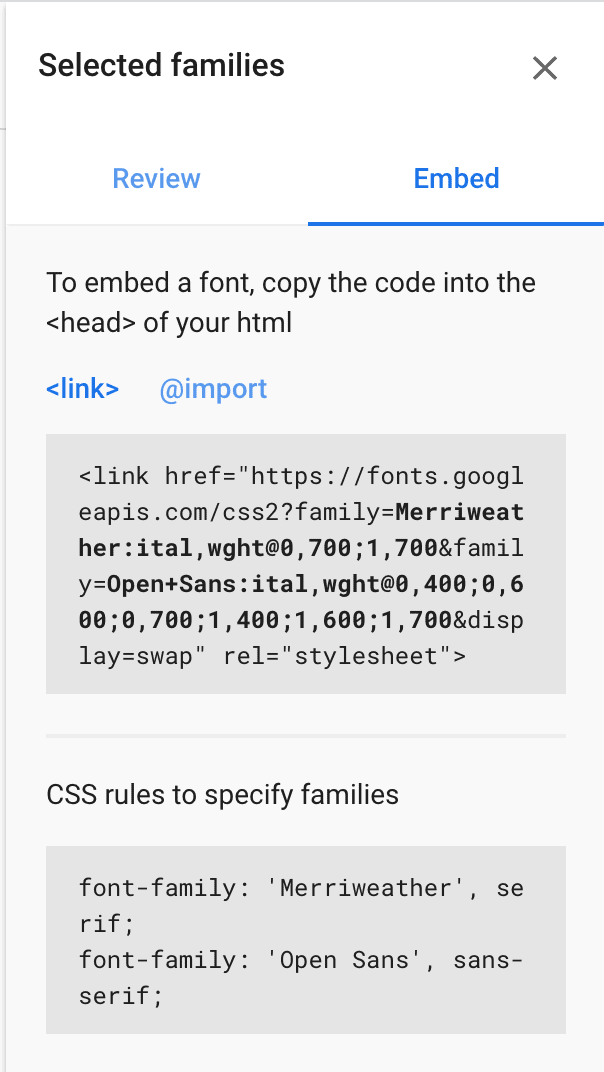
Note the URL i.e., the value of href attribute.
In this example, it is:
https://fonts.googleapis.com/css2?family=Merriweather:ital,wght@0,700;1,700&family=Open+Sans:ital,wght@0,400;0,600;0,700;1,400;1,600;1,700&display=swapStep 2
Install and activate Code Snippets plugin.
Go to Snippets > Add New.
Title: Load Google Fonts from CDN
Code:
add_action( 'wp_head', 'wpdd_google_fonts' );
/**
 * Load Google Fonts from CDN.
 */
function wpdd_google_fonts() {
	// Enter the URL of your Google Fonts generated from https://fonts.google.com/ here.
	$google_fonts_url = 'https://fonts.googleapis.com/css2?family=Merriweather:ital,wght@0,700;1,700&family=Open+Sans:ital,wght@0,400;0,600;0,700;1,400;1,600;1,700&display=swap';
	?>

	<link rel="preconnect"
		href="https://fonts.gstatic.com"
		crossorigin />

	<link rel="preload"
		as="style"
		href="<?php echo $google_fonts_url; ?>" />

	<link rel="stylesheet"
		href="<?php echo $google_fonts_url; ?>"
		media="print" onload="this.media='all'" />

	<noscript>
		<link rel="stylesheet"
			href="<?php echo $google_fonts_url; ?>" />
	</noscript>
<?php }
Replace the URL in
$google_fonts_url = 'https://fonts.googleapis.com/css2?family=Merriweather:ital,wght@0,700;1,700&family=Open+Sans:ital,wght@0,400;0,600;0,700;1,400;1,600;1,700&display=swap';with the one from Step 1 earlier.
Set the snippet to run on the site front-end. Save changes and activate.
Refresh any page of your site on the front end and view its source. You should see your Google font(s) get loaded in the head like this:

Here’s what the code does:
- Preemptively warm up the fonts’ origin.
- Initiate a high-priority, asynchronous fetch for the CSS file. Works in most modern browsers.
- Initiate a low-priority, asynchronous fetch that gets applied to the page only after it’s arrived. Works in all browsers with JavaScript enabled.
- In the unlikely event that a visitor has intentionally disabled JavaScript, fall back to the original method. The good news is that, although this is a render-blocking request, it can still make use of the preconnect which makes it marginally faster than the default.
For Oxygen users
If you have not already, select your fonts in the Oxygen editor at Settings > Global Styles > Fonts.
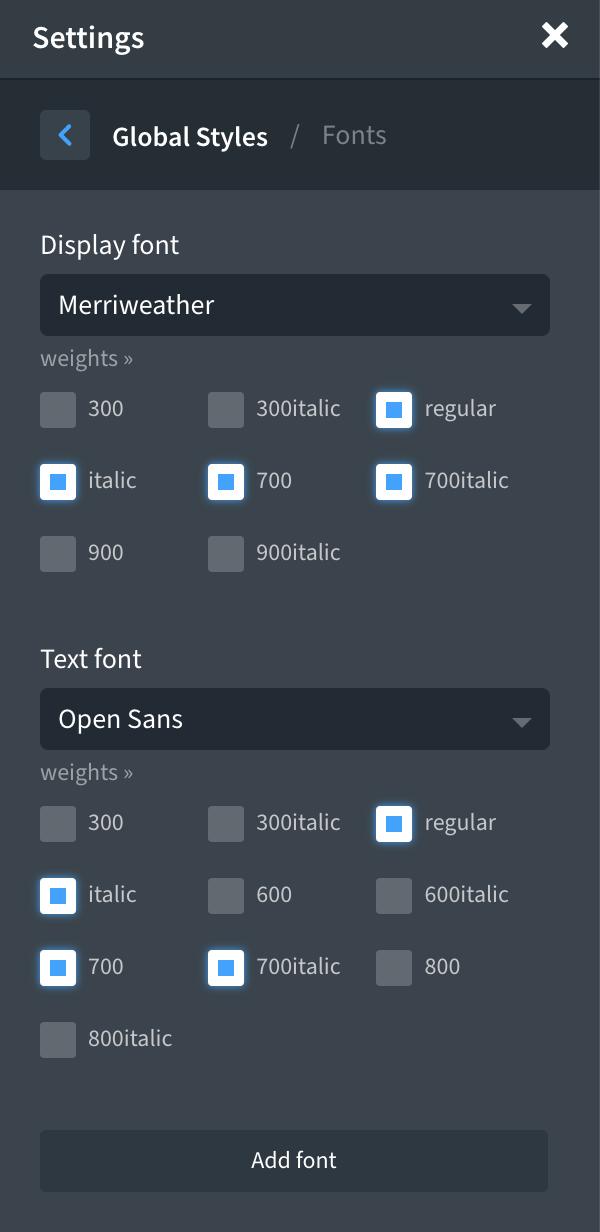
Make sure you select the needed font weights. If you don’t, Oxygen loads all of them!
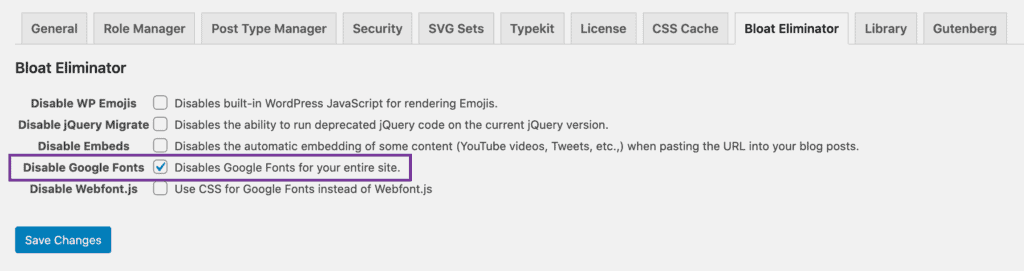
Go to Oxygen’s settings in the WP admin and tick “Disable Google Fonts” under Bloat Eliminator tab.
Related Reading: https://wpspeedmatters.com/optimize-google-fonts/


Leave a Reply to Sridhar Katakam Cancel reply